Equipment & Supplies
Know what you have—and what to order next
Track stock by station, unit, room, lot, and expiration. Then turn your standards and actual use into a practical order plan.
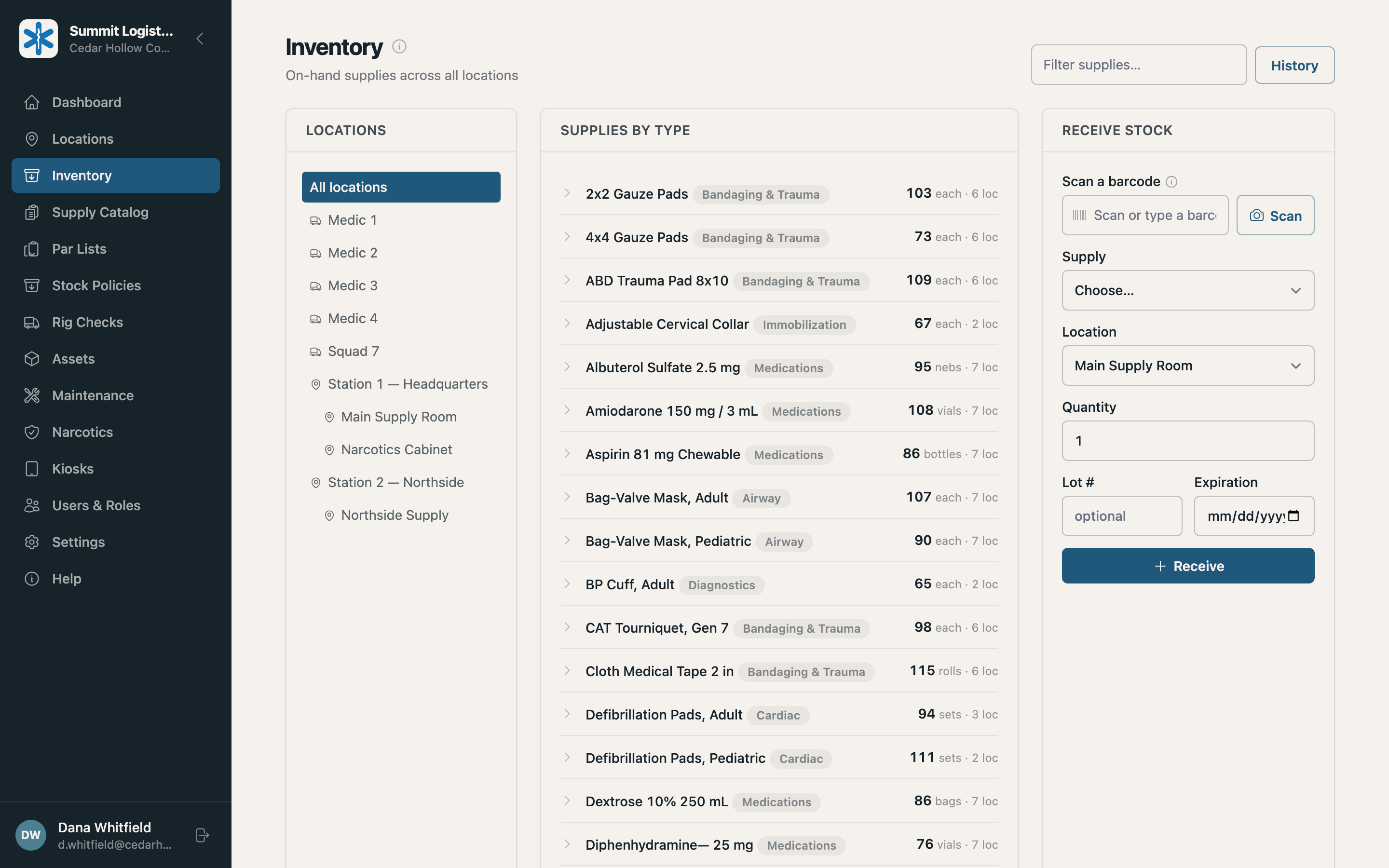
One inventory record
Agency-wide totals to a single lot
See the full agency or narrow the view to one station and everything inside it. Open any item to find its locations, lots, and expiration dates.
- Item, location, and lot in a few clicks
- Transfer or dispose from the inventory view
- Filter by item name or category
- Roll rooms and cabinets into station totals
Configurable without custom code
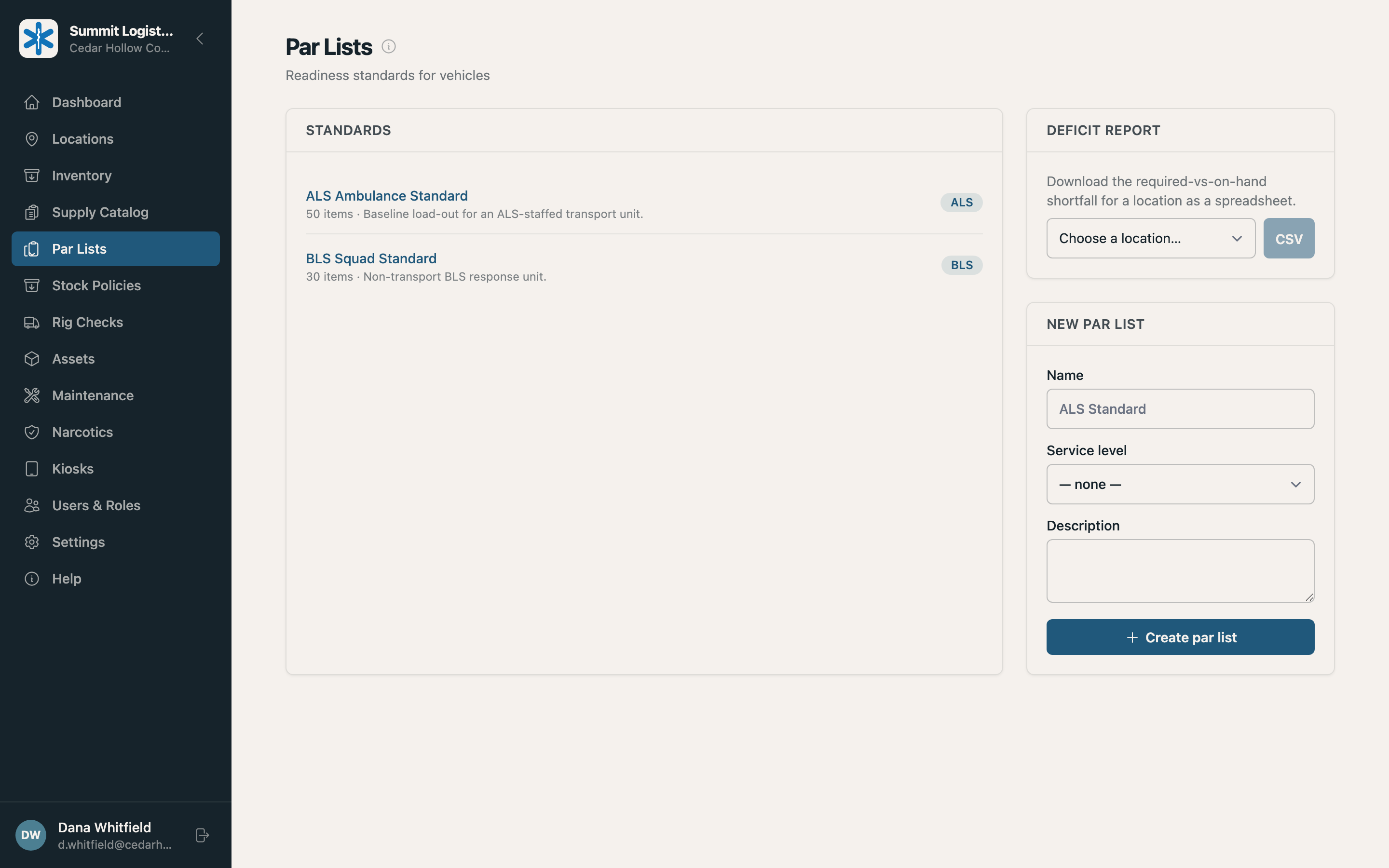
Set your standards once
Define vehicle par levels and supply-room stock policies in Summit. Checks, restock reports, and alerts all use the same standards.
- Par lists by service level
- Maximum and reorder quantities
- Required equipment on the same par list
- One update applied to every assigned unit
Predictive ordering
Let your inventory history do the planning
Summit combines what each location should hold, what is on hand, how supplies are actually used, and what will expire within your planning horizon. The result is a suggested order grounded in your operation.
Plan at the right level
Build an order for the whole agency or focus on one location and everything below it.
Choose the horizon
Look ahead 15, 30, 45, 60, or 90 days based on your purchasing cycle.
See the evidence
Each line includes a confidence level based on the history behind the recommendation.
Start the purchase order
Review the quantities in Summit, then export them to CSV for procurement.
Summit waits until your agency has 90 days of supply history before making suggestions—enough context to guide a decision without creating false confidence.
Accountable inventory
Every change has an owner and a timestamp
Receive, transfer, consume, dispose, or adjust. Summit records the person, lot, location, and time.
Receive
Add stock with its lot and expiration. Scan a barcode to fill the form.
Transfer
Move a specific lot while keeping agency-wide totals accurate.
Consume
Record what a crew used and which lot it came from.
Dispose
Remove expired, damaged, or recalled stock with a reason.
Adjust
Enter the physical count and record the difference as a correction.
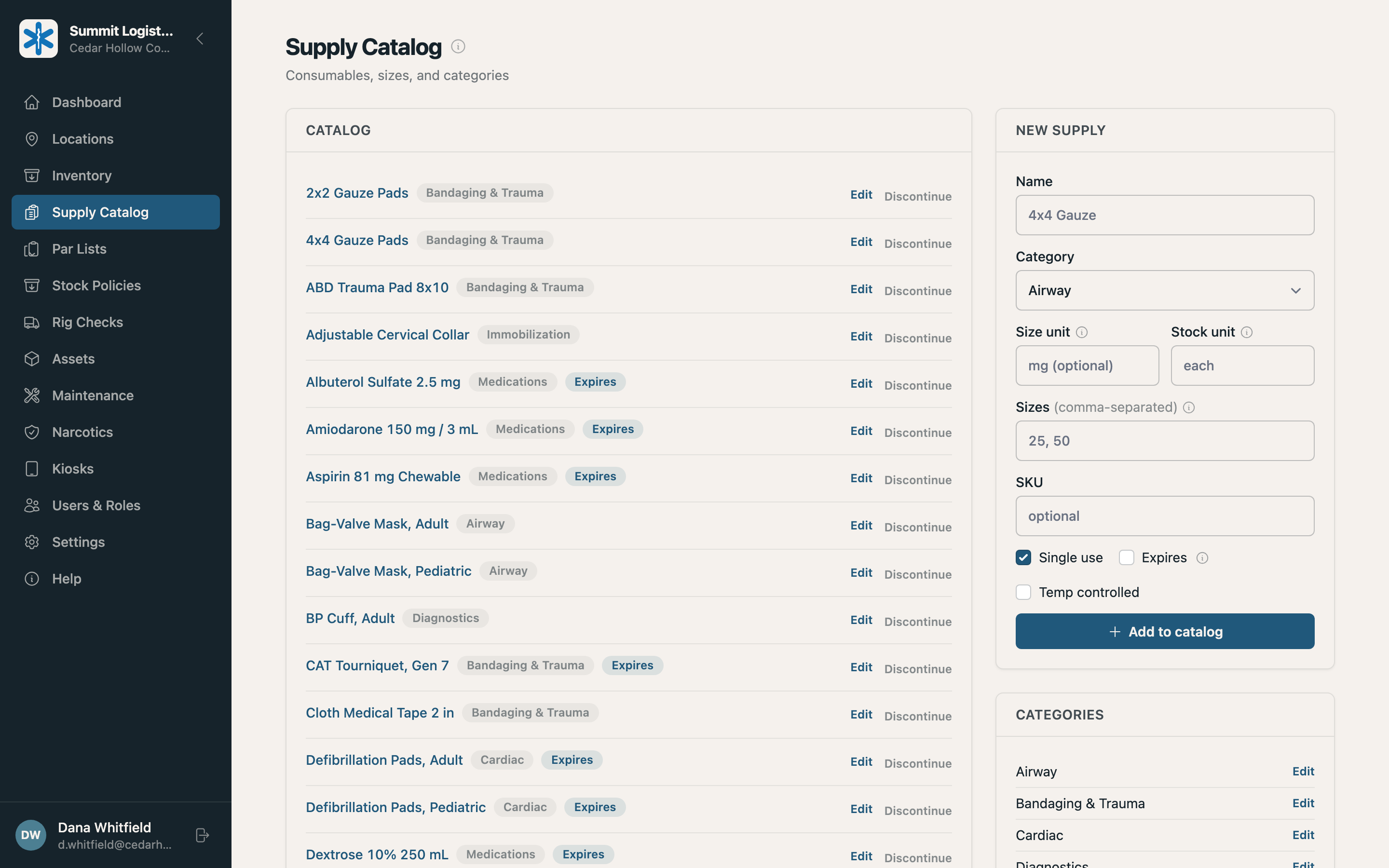
Your catalog, your structure
Track only the details each item needs
Define an item, add its sizes, and choose whether it needs lot or expiration tracking. Crews get the right fields for the item in front of them.
- Separate stock by size or variant
- Categories for filters and reports
- Barcodes by item or size
- Lot and expiration from GS1 scans
Leave the spreadsheet. Keep your standards.
We’ll configure Summit around your catalog, locations, and par levels so your team starts with the operation it already knows.